
Bigger Libraries, Higher Expectations
Watching videos on a computer has changed dramatically over the past decade. What once consisted of standard-definition clips and DVD collections has evolved into libraries filled with 4K movies, HDR recordings, smartphone videos, and high-resolution home footage. As display technology improves, so do expectations for picture quality and playback.
With higher-quality media comes greater complexity. Different devices, operating systems, and file formats can affect how easily videos open or how smoothly they play. Many people also keep media spread across external drives, cloud storage, and multiple computers, making organization more challenging than ever.
Fortunately, a few practical habits can make managing a growing media collection much easier. Understanding modern formats, organizing files thoughtfully, and using software designed for today's multimedia needs can help create a more enjoyable viewing experience.
Whether you enjoy movies, record family events, or simply like keeping a personal media archive, building a well-organized digital library saves time and makes entertainment more accessible.
Understanding Today's Video Formats
Modern digital media comes in many different formats. Popular video containers such as MP4, MKV, MOV, and AVI may look similar at first glance, but they can contain different video and audio codecs that determine compatibility and playback behavior.
Newer codecs like HEVC (H.265) and AV1 make it possible to store high-quality video while using less storage space than older compression methods. These formats are becoming increasingly common for 4K and higher-resolution content because they help balance image quality with file size.
As more cameras, streaming platforms, and editing software adopt these technologies, it's useful to choose media software designed to support a broad range of modern formats.
Why Organization Matters More Than Ever

A growing collection of movies, music, and personal recordings can quickly become difficult to navigate if files are scattered across folders or multiple storage devices.
Simple organizational habits can make a noticeable difference:
- Sort by category: Create folders by category, genre, or year.
- Name consistently: Use consistent file names.
- Pair your subtitles: Keep subtitles in matching folders.
- Choose storage carefully: Store important media on reliable storage devices.
- Protect what matters: Back up valuable recordings regularly.
Good organization doesn't just save time—it also makes it easier to find favorite content whenever you want to watch it.
Tips for Smoother Playback
Video playback depends on several factors, including your computer's hardware, operating system, file format, and display capabilities.
Some practical ways to improve playback include:
- Update your drivers: Keep graphics drivers updated.
- Free up resources: Close unnecessary background applications before playing very large video files.
- Use faster storage: Store high-bitrate videos on fast SSDs when possible.
- Match your display: Use appropriate display settings for HDR-compatible monitors.
- Let the GPU help: Choose media software designed to support hardware acceleration where available.
While every computer performs differently, these steps may help create a smoother viewing experience depending on your system configuration.
Streaming and Sharing Around the Home
Today's media libraries are no longer limited to a single computer. Many households enjoy streaming videos, music, and photos between multiple devices throughout the home.
Technologies such as AirPlay and DLNA have made it easier to share compatible content with supported televisions, speakers, and other devices without constantly copying files between systems.
For users who frequently switch between desktops, laptops, and living room entertainment setups, choosing software that supports modern streaming technologies can simplify everyday viewing.
Exploring a Flexible Multimedia Player
As media collections become larger and more diverse, many users look for software that combines playback, organization, and streaming features within one application.
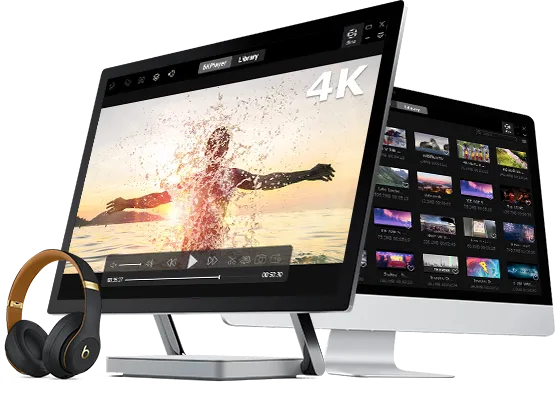
5KPlayer is one example of multimedia software available for both Windows and macOS. It is designed to support a wide variety of video and audio formats, including many high-resolution files commonly used today. Depending on the media format and computer hardware, it can help provide smooth playback through hardware acceleration where supported.
In addition to local video and music playback, 5KPlayer includes features such as DVD playback, subtitle support, playlist management, AirPlay compatibility, DLNA streaming, IPTV playback, and tools for managing digital media libraries. These capabilities allow users to organize personal collections while accessing entertainment across compatible devices from a single application.
Rather than focusing on one specific use case, the software is intended to offer a versatile multimedia experience for movie enthusiasts, students, office users, travelers, and anyone who regularly works with digital media.